Why you want the owner, not the info@ inbox
In a small, owner-run business the owner is usually the only person who can say yes to a new website, an SEO retainer or a marketing service. An email to a named owner is read by the person who decides.
A generic inbox is often checked by whoever answers the phone, and a pitch sent there tends to be deleted or forwarded with no context. If you sell web design, SEO or marketing to local businesses, knowing the owner's name also changes the email itself: you can write to a person about their business, not to a company about yours.
The good news is that small businesses are easy to trace. Owners put their names on their websites and reply to reviews themselves. You rarely need a paid business owner finder for a plumber or a dental practice; you need a short routine and the patience to check two sources.
How to find the owner of a business: five free methods
Work through these in order. The first two take a minute each and solve most cases; the rest confirm the name or fill the gaps.
1. The business's own website
Start with the pages where owners introduce themselves: About, About Us, Our Story, Meet the Team, Leadership and Contact. Look for phrases like "owned and operated by", "founded by" or a name followed by "Owner" or "President". Family businesses often tell the founding story with names and dates.
Then check two places most people skip. The footer sometimes carries the legal company name. And the page source may contain schema.org structured data with a founder or employee field. Search the source for "founder" to find it. Be careful with blog author names: the person who wrote a post is not always staff.
2. Google Business Profile
Open the business on Google Maps and read the replies to reviews. Many owners answer reviews themselves and sign off with a name: "Thanks, Maria". The "From the business" description and the Q&A section sometimes name the owner too. A first name plus the business name is often enough to find the surname on LinkedIn.
3. LinkedIn
Search LinkedIn for the business name and filter by people, or search Google for site:linkedin.com/in "Business Name" owner. Owners of small local businesses often list themselves as Owner, President or Founder. Check the dates on the profile: someone who left three years ago may still show the old job.
4. Domain WHOIS
A WHOIS lookup (ICANN's lookup tool is free) shows who registered the website's domain. Since privacy rules tightened, most registrars hide the registrant's personal details, so expect a privacy proxy. It is still worth a look for older domains, and the registration date tells you how long the business has had its site.
5. Local news and chamber listings
Search the business name in quotes with the city name and words like "owner" or "founder". Local papers cover openings, anniversaries, awards and sponsorships, and those stories name the owner. Chamber of commerce and trade association member directories often list a contact person as well. Check the date on anything you find; businesses change hands.
Which source to trust
When you need to know how to find business owners' names you can rely on, the rule is simple: two independent sources that agree beat any single source. This table shows what each one usually gives you.
| Source | What it gives you | Cost | How far to trust it |
|---|---|---|---|
| Business website | Names and roles on About or Team pages, schema.org founder | Free | High if the page is current |
| Google Business Profile | Owner replies to reviews, the “From the business” text | Free | Medium: often a first name only |
| Name, title, sometimes how long they have run it | Free with an account | Medium: profiles go stale | |
| Domain WHOIS | Registrant, when not redacted | Free | Low: usually private |
| Local news and chamber | Named owners in stories and member listings | Free | Medium: check the date |
If you are researching how to find out business owner details for a whole list rather than one company, do the website and Google steps for every business first, then use the other methods only where the name is missing or unclear. That keeps the time per lead low.
How to find their email
Once you find business owner names, you need an address. Emails come in three levels of confidence, and it helps to label each one as you go:
- Published. The address appears on the business's own website or a listing. This is the strongest kind, because the business chose to publish it.
- Pattern. The site publishes another staff address, so you know the format. If
sam.lee@is on the team page, the owner Maria Diaz is probablymaria.diaz@. Only trust a pattern learned from an address that clearly belongs to one named person. - Guessed. No address or pattern is published, so you try a common format such as
first@domain. In a business with two or three people,first@is common, but it is still a guess.
Check an address before you send to it, especially a pattern or a guess. Use an email verification service, look for the address in a search engine, and be aware that some domains accept every address, so a check can pass and the email still bounce. Every bounce hurts your sending reputation, so a short list of good addresses beats a long list of guesses. If you have no good address, the business's general inbox with the owner's name in the first line is a fair fallback.
Stay compliant
Finding an owner through public records is normal research. Contacting them is where rules apply. This is general guidance, not legal advice:
- In the US, CAN-SPAM applies to commercial email: accurate sender details, a subject line that is not misleading, a physical postal address and a working way to opt out, honoured promptly.
- Use business contact details for business reasons. Leave out home addresses and personal social accounts.
- Keep a do-not-contact list and check it before every campaign.
- If you contact businesses in the UK or EU, data protection law adds its own conditions; check them before you start.
- Calls and texts have stricter rules than email in the US. Read them before you pick up the phone.
A relevant, personal email with a clear way out is both the compliant approach and the one owners are most likely to answer. The local business leads guide covers where to source the businesses in the first place.
How WarmyBiz finds owners
WarmyBiz is built for agencies and freelancers who sell to local businesses, and it automates the first part of the routine above. To find owner of a business records across a list, it:
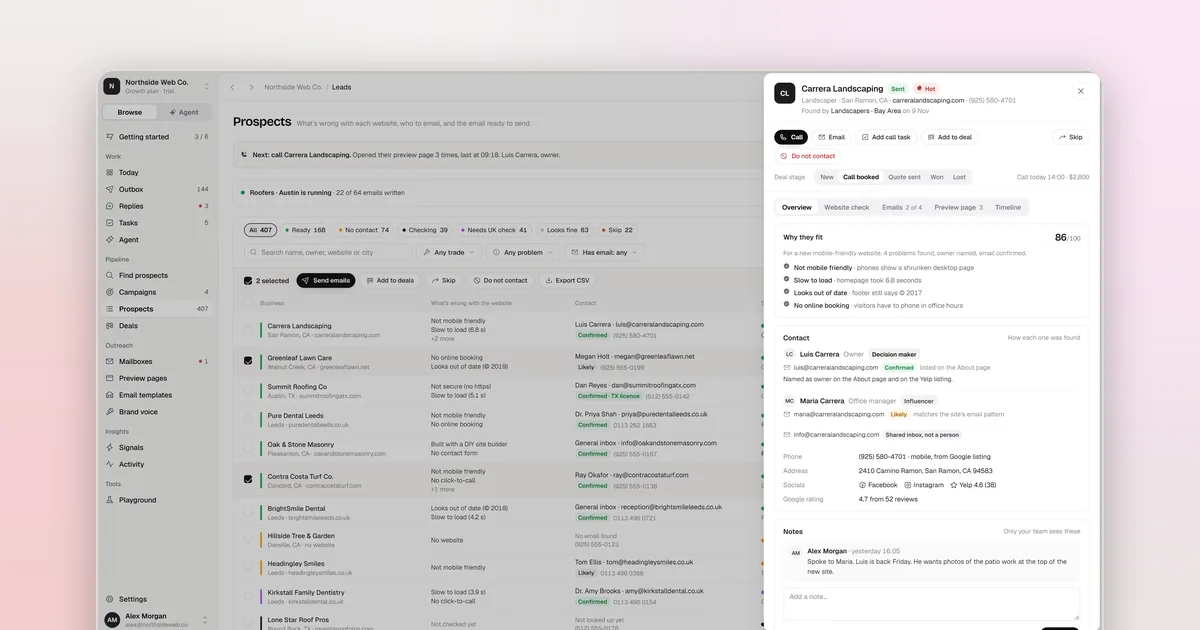
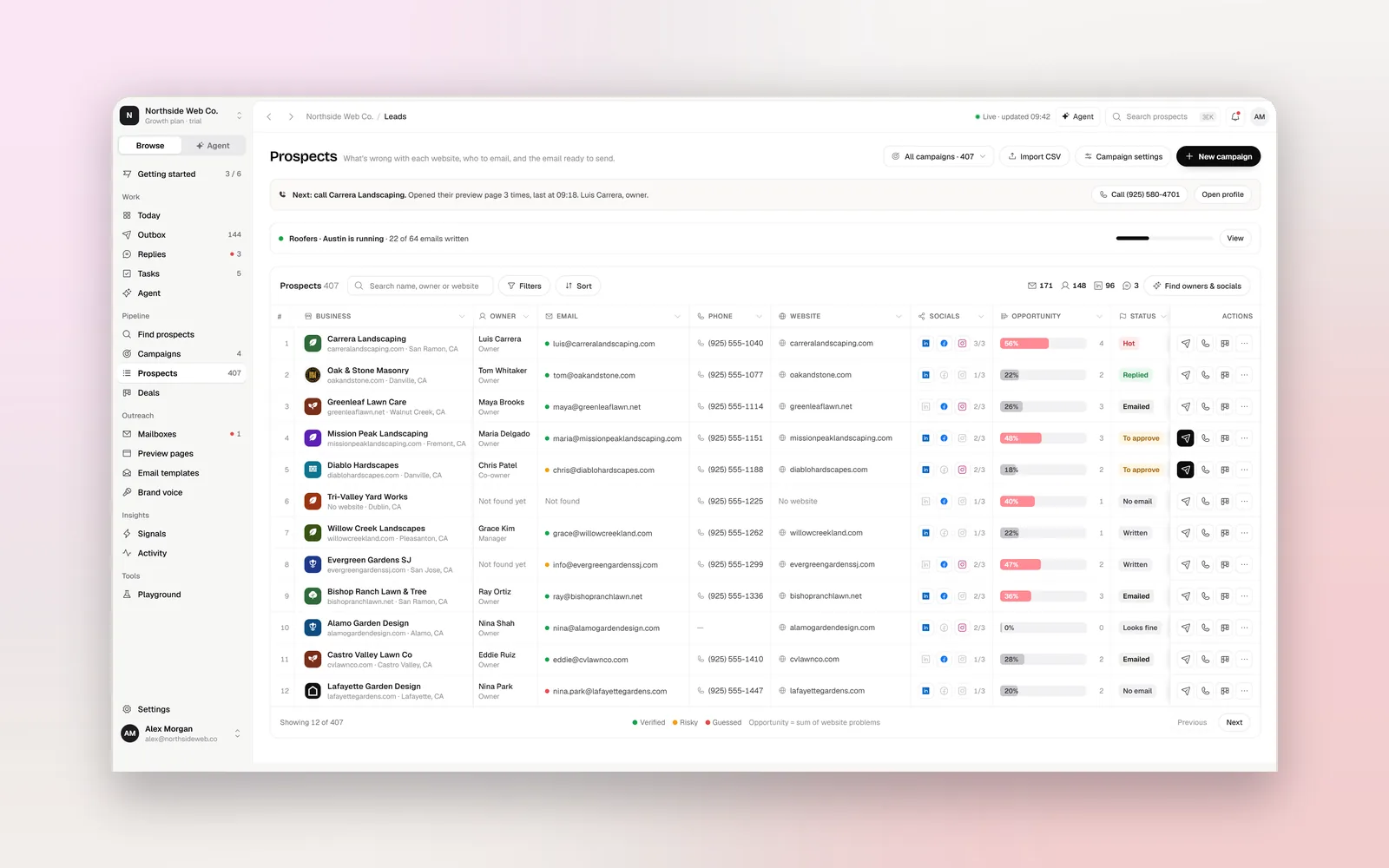
- Reads the business's own website, including About, Team and Contact pages, for named people and roles such as Owner, Founder or President, plus schema.org founder data. It keeps the sentence each name came from as evidence.
- Shows each email with its status: published on the site, built from the site's own pattern, or guessed. It never labels an address verified, and autopilot only approves the statuses you trust, published by default.
The AI Lead Finder Agent runs this for a trade and a city, and you review the owners before anything is sent. To see what you could say to an owner once you find them, run their site through the Website Grader.